





What Gear Must I Bring?
Which Microphone Should I Use?
Choosing the right microphone is crucial. A dynamic microphone, like the Shure SM7B, excels in minimizing background noise and capturing crisp vocals. A condenser mic, such as the Audio-Technica AT2020, is ideal for studio environments, providing clarity and warmth. Consider your recording context: will you be in a quiet studio or a bustling coffee shop? Adjust your choice accordingly.
Which Headphones Should I Use?
When recording a podcast, you need headphones that deliver accuracy and comfort. Closed-back headphones like the Audio-Technica ATH-M50x help you monitor audio closely without bleed. Opt for over-ear models to reduce fatigue during long recording sessions. Your ears will thank you.
Do I Need An Audio Interface?
An audio interface is essential for connecting professional microphones to your computer. It converts analog signals into digital, allowing for high-quality recordings. Look for interfaces with multiple inputs if you plan to host guests. The Focusrite Scarlett series is a popular choice for its reliability and performance.
Which Cables And Adapters?
Pack XLR cables for your microphones and TRS cables for your headphones. Adapters may also be necessary, especially if you’re using different devices. Ensure you have backups — faulty cables can derail even the best conversations.
What Power Accessories To Bring?
Bring extra batteries or chargers for your devices, especially if you’re recording on the go. A surge protector is also wise, minimizing the risk of power fluctuations ruining your recording. Keeping everything powered up means you can focus on delivering great content.
What Video Gear Is Needed?
If you plan to record video along with audio, have a good quality camera ready. A DSLR or mirrorless camera can offer the professional quality you want. Don’t forget tripod stands to keep everything steady, and consider lighting kits to enhance your visuals. Great video can expand your podcast's reach on platforms like YouTube.
How To Set Up Recording Space?
How To Treat Room Acoustics?
Room acoustics can make or break your sound quality. Soft furnishings, like rugs and curtains, can absorb sound, reducing echo and reverberation. Acoustic panels are another option for treating bare walls. Your goal is to create a space that captures your voice while minimizing unwanted noise reflections.
How To Control Background Noise?
Identify and mitigate potential noise sources before you hit record. Close windows, turn off appliances, and mute other electronics. If you're in a shared space, consider using "do not disturb" signs — a little heads-up goes a long way in keeping distractions at bay.
Where Should Microphones Be Placed?
Position microphones roughly six to twelve inches from your mouth, angled slightly to avoid plosive sounds. This distance captures your voice at its best without overwhelming background noise. Testing your setup before recording can help optimize this crucial aspect.
How To Arrange Furniture And Seating?
Arrange furniture to foster conversation while keeping microphones accessible and comfortable. Ideally, create a semi-circle to promote a natural dialogue. Ensure that the seating allows guests to speak easily and participate without strain.
How To Set Lighting For Video?
Good lighting is vital for video quality. Use soft, diffused lights to avoid harsh shadows. Key lights should illuminate faces evenly, while fill lights can soften contrast. If natural light is available, position your subjects facing windows for the best effect, but be wary of glare.
How To Configure Audio?
Which Sample Rate And Bit Depth?
For high-quality recordings, use a sample rate of 48 kHz and a bit depth of 24 bits. This standard is common in professional audio production and ensures clarity and detail. Make sure your recording software is set correctly before you start.
How To Set Gain Levels?
Setting the right gain levels prevents distortion while capturing your audio clearly. Aim for peaks around -6dB to -12dB on your recording meter. Test your levels before recording, making adjustments as needed to ensure a clean sound.
Should I Record Mono Or Stereo?
For standard podcasting, mono recording is often the way to go. It ensures consistent audio across various platforms and devices. If your podcast incorporates music or sound effects, stereo might enhance the experience, but keep clarity as a priority.
Which File Format Should I Use?
WAV or AIFF files are typically recommended for editing, as they retain the highest quality. Once edited, exporting to MP3 at a bitrate of 128kbps or higher is best for distribution. This format strikes a balance between quality and file size, making it ideal for online sharing.
Remember, embracing a podcast isn't just about hitting record; it's about harnessing your voice as a powerful B2B marketing tool. Proper planning with this checklist sets the stage for success, whether you're partnering with a b2b podcast agency like ThePod.fm or navigating the production yourself.
How To Prep Your Guests?
How To Run A Pre Interview?
A pre-interview is essential for setting expectations and building rapport. Schedule a short chat to discuss topics, gauge your guest’s comfort level, and ensure they understand the format. This not only eases their nerves but also provides insights into their personality, enabling you to steer the conversation more naturally.
What Tech Instructions Should I Send?
Providing clear tech instructions helps eliminate last-minute issues. Send a detailed email outlining the software you'll use, along with links to download or access it. Include guidelines for setting up their microphones and headphones, as well as troubleshooting tips for common problems. A little preparation can go a long way.
How To Collect Consent And Releases?
Maintaining professionalism requires collecting consent and release forms from your guests. Prepare a standard release form that details how their audio will be used. This protects both parties and establishes trust. Sending it beforehand ensures they have time to review it without feeling rushed.
What Materials Should Guests Provide?
Ask your guests to share materials that can enrich the episode, like a bio, links to previous work, or relevant topics they'd like to discuss. This not only prepares you but also provides your audience with context. A well-rounded approach can lead to a more engaging conversation that resonates with your listeners.
What Day Of Checks To Run?
How To Perform Mic Warm Ups?
Mic warm-ups are a simple but effective way to ensure good audio quality. Spend a few minutes testing different vocal ranges, practicing articulation exercises, or reading scripted lines aloud. This helps get rid of any awkwardness and tunes your vocal cords for the recording session ahead.
How To Test Headphone Monitoring?
Headphone monitoring is crucial for effective audio control during recording. Test your headphones by listening to recorded audio or running through a few lines yourself. Check for clarity and ensure that you're hearing what will be captured, which helps in adjusting your performance in real-time.
How To Confirm Backup Recording?
Always have a backup recording running to safeguard against technical hiccups. Before you start, check that your backup device or software is active and capturing audio. This extra layer of security gives you peace of mind, knowing that your content is secure, come what may.
How To Verify Camera And Audio Sync?
If you’re recording video, ensuring that audio and visual elements are synchronized is key. Do a quick clap or use a visual cue before you start recording to align them in post-production. This simple test saves you time later on by eliminating sync issues that can distract from your content.
How To Record Remotely?
Which Remote Platforms Work Best?
Choosing the right platform is critical for recording remotely. Options like Riverside and Zoom have become popular because they allow for high-quality audio and video capture. Evaluate your needs: do you prioritize stability, easy use, or additional features? Each platform has its strengths, so pick the one that aligns with your show’s goals.
Should Remote Guests Record Locally?
Encouraging remote guests to record locally can greatly enhance audio quality. If your guests have the capability, ask them to use recording software on their end, like Audacity or GarageBand. This allows you to combine their high-quality audio with yours in post-production, giving the final product a professional touch.
How To Reduce Latency And Dropouts?
Latency and dropouts can mar the flow of your conversation. To minimize these issues, ensure both you and your guests have stable internet connections. Encourage wired connections where possible and limit background applications that might use bandwidth. Consider using platforms with lower latency for smoother communication.
How To Collect Remote Backup Files?
After your recording, prompt remote guests to send their audio files as a precaution. Use cloud storage tools like Dropbox or Google Drive for easy file sharing. This simple step ensures you have multiple copies of the recordings, making it easier to piece together a high-quality final product.
Harnessing these strategies elevates your podcast process, whether you collaborate with a b2b podcast agency like ThePod.fm or navigate production solo. Preparing thoroughly transforms conversations into engaging episodes that generate real business value.
How To Name And Back Up Files?
What File Naming Conventions Work?
Establishing a consistent file naming convention simplifies organization and retrieval. A good format includes the episode number, guest name, and a brief description, such as "Ep05JohnDoeInterview.mp3." This clarity not only makes finding files easier but also keeps your project structured, which is critical when managing multiple episodes.
Where Should I Store Files Safely?
Use reliable cloud storage solutions like Google Drive or Dropbox for backups. Not only do these platforms offer easy access and collaboration, but they also ensure your files are safe from hardware failures. For sensitive content, consider encrypting files or using a password-protected folder to add an extra security layer.
How To Verify File Integrity?
To confirm files haven't become corrupted, play back audio files after transferring them to different devices. Check for dropouts or distortion. You can also use software tools to validate file integrity and ensure what you recorded is what you have stored. Regular checks prevent surprises later when editing.
How Long Should I Keep Raw Files?
As a rule of thumb, retain raw files for at least six months post-release. This gives you time to revisit content for future projects or repurposing, like converting audio snippets into blog posts or social media content. Storing them long enough can yield surprising uses, amplifying your podcast's reach.
How To Run Episode Flow?
How To Build A Show Outline?
Creating a show outline serves as your episode's roadmap. Begin with a clear introduction, followed by key topics organized into segments. Leave room for natural conversation, but hold onto your structure to maximize engagement. A comprehensive outline enables you to stay focused, especially when hosting a guest.
How To Mark Segments And Timecodes?
Marking segments and timecodes during the recording helps in post-production editing. As you record, note timestamps in your outline for when key transitions occur. This practice saves time later and ensures you can easily locate highlights or cut segments, enhancing the overall episode flow.
How To Manage Ads And Transitions?
Integrate ads and transitions seamlessly into your episode. Use pre-recorded segments and specify where they enter your outline. Timing is crucial: deliver ads before diving back into the main content to maintain listener engagement. A smooth transition keeps your audience tuned in.
How To Give Host And Guest Cues?
Clear cues help both hosts and guests stay in sync throughout the recording. Using agreed-upon signals, like a nod or hand gesture, can indicate when it’s time to speak. Providing cues fosters fluidity in conversation and ensures everyone feels comfortable contributing at the right moments.
How To Troubleshoot Issues?
How To Fix Background Noise Quickly?
Quick fixes for background noise can save a recording. Use noise gates or filters in your editing software. During recording, consider using directional microphones to minimize extraneous sound. And don’t overlook the value of acoustic treatments; they can significantly reduce unwanted noise.
How To Stop Clipping And Distortion?
Clipping happens when audio levels peak too high. Monitor levels throughout the recording and keep them below -6dB for safety. If distortion occurs, you may need to adjust input gain or reposition your microphone. Lowering gain levels and moving away from the mic slightly can help prevent future issues.
What To Do For Dropouts?
Audio dropouts can disrupt the listener experience. Check your equipment before recording to ensure everything works smoothly. If dropouts happen during the session, stop, reassess your connections, and try recording again. Knowing how to identify potential issues up front can save you headaches later.
How To Recover From Software Crashes?
Software crashes can be frustrating, but keeping calm is key. Save your work often and use apps known for stability. If something does crash, reboot your system and check for updates before starting again, ensuring everything runs smoothly. A good backup plan protects against total loss, giving you peace of mind.
Embracing these techniques maximizes your podcasting capabilities, whether you choose to team up with a b2b podcast agency like ThePod.fm or produce your content in-house. Well-planned troubleshooting strategies empower you to focus on delivering valuable episodes.
What Post Recording Tasks?
Which Files To Back Up First?
Prioritize backing up your raw audio and video files first. They’re the core of your content and need protection from loss. Then, back up your edited files, notes, show scripts, and any additional assets, like images or sound effects. Utilize cloud storage options like Google Drive or Dropbox for easy access and peace of mind.
How To Edit For Clear Sound?
Start by using editing software like Audacity or Adobe Audition to clean up your audio. Focus on removing background noise and optimizing volume levels. Employ equalization to enhance clarity and use compression to balance dynamics. Make sure to listen critically throughout the process; ear fatigue can lead to oversights, so take breaks as needed.
How To Create Show Notes And Timestamps?
Crafting show notes gives your audience a roadmap of your episode. Start with a brief summary followed by timestamps for each segment. Highlight key points, guest quotes, and resources mentioned. A thoughtfully created set of notes not only aids listeners but also improves your SEO, making it easier for new audiences to discover your content.
How To Generate Transcripts And Captions?
Transcribing episodes enhances accessibility and increases engagement. Tools like Descript can automate this process, saving you time while providing accurate transcripts. Once generated, review for errors, then add timestamps for a polished final version. Not only does this assist those who prefer reading, but it also creates content for blogs and social media.
Which Export Settings Should I Use?
When exporting, opt for MP3 format with a bitrate of 128 kbps for optimal balance between quality and file size. For video, use H.264 codec for a good quality-to-file size ratio. Always export in the highest quality for your master files, keeping your original recordings intact for future edits or repurposing. This attention to detail can be a game changer in maintaining your podcast's professional image.
How To Record Video Episodes?
How To Set Up Cameras And Framing?
Position your camera at eye level to create an engaging viewer experience. Use a tripod to keep the camera stable and frame yourself in the center. Leave adequate headroom but avoid too much empty space above. A well-framed shot can transform your video podcast from amateur to polished in seconds.
How To Light For Video Podcasting?
Lighting is vital for a professional look. Use soft, diffused lighting to eliminate harsh shadows and create an inviting scene. A three-point lighting setup—key light, fill light, and backlight—works wonders. If you're leveraging natural light, position yourself facing the window while adjusting for glare, ensuring your presence on screen is warm and clear.
How To Sync Audio And Video?
Synchronizing audio and video can be simplified with a clap or a visual cue at the start of recording. This creates a clear spike in both audio and visual tracks, aiding in alignment during editing. Check your software for auto-sync features, which can save time later when you piece everything together.
How To Export Video For Platforms?
Export your video in formats optimized for each platform: for YouTube, use MP4 with H.264 codec dressed with relevant thumbnails and titles. Adjust resolution based on platform preferences; 1080p remains standard for most. Before you publish, ensure your video meets each platform’s specs, maximizing your reach and engagement.
What To Pack For Travel?
What Essentials Fit In A Mobile Kit?
A mobile podcasting kit should contain your audio gear—microphones, a portable audio recorder, and headphones. Include cables and a compact tripod for stability. Don’t forget essential recording software or apps on your laptop or tablet, as convenience can make or break a remote recording session.
What Spares And Redundancies To Pack?
Always pack extra: spare batteries, backup microphones, and additional cables to cover unforeseen issues. USB drives for quick file transfers add security. In the age of remote recording, these backups can be lifesavers, helping you sidestep last-minute disasters that could derail your episode production.
How To Protect Gear During Travel?
Invest in a durable carry case with padding to shield your equipment. Keep fragile items, like microphones, wrapped securely. Planning ahead makes navigating airports and transport smoother; label your gear to avoid confusion and increase the chances of recovery in case of lost luggage. Protecting your investment means maintaining your production quality wherever you go.
FAQs
What Is A Podcast Recording Checklist?
A podcast recording checklist is a detailed guide that helps you prepare for a successful recording session. It includes everything from gear setup to audio settings, ensuring that you're fully equipped to produce high-quality content. This list acts as a safety net, allowing you to focus on the conversation rather than worrying about technical issues.
How Far In Advance Should I Prepare?
Aim to start your preparation at least one week before your recording. This gives you ample time to fine-tune your equipment, run pre-interviews with guests, and finalize your episode outline. Last-minute prep can often lead to oversights, so plan ahead to smoothen the recording process.
How Many Backups Are Enough?
One primary recording plus one backup is a solid rule of thumb. This could be a separate device or software capturing the audio just in case something goes wrong. In today's tech landscape, redundancy is your friend, so consider a cloud backup as well for added security.
What File Format Is Best For Editing?
WAV files are best for editing due to their lossless nature, preserving the audio quality you want. For distribution, convert edited files to MP3 at a bitrate of 128kbps or higher. This format strikes a balance between quality and file size, making it suitable for streaming platforms.
Can I Record A Podcast On A Smartphone?
Yes, you can definitely record a podcast on a smartphone. Quality apps like Anchor or Ferrite allow for decent recordings. However, investing in an external microphone can significantly enhance your audio, making your podcast feel more professional right from the start.
How Do I Reduce Room Echo Quickly?
To quickly reduce room echo, add soft furnishings like blankets or pillows to absorb sound waves. If you’re in a pinch, even hanging a thick curtain can help. Using a directional microphone can also minimize echo by focusing on your voice instead of surrounding noise.
Do Remote Guests Need Headphones?
Absolutely. Remote guests should wear headphones to prevent audio bleed and improve sound quality. This helps in maintaining clarity during the recording, which can otherwise distract both you and your audience if feedback occurs.
How Long Should I Keep Raw Files?
It's wise to keep raw audio files for six months to a year after publication. This gives you flexibility for future projects or re-editing without having to re-record. You never know when a past episode might inspire a related post or lead to new content opportunities.
About the Author
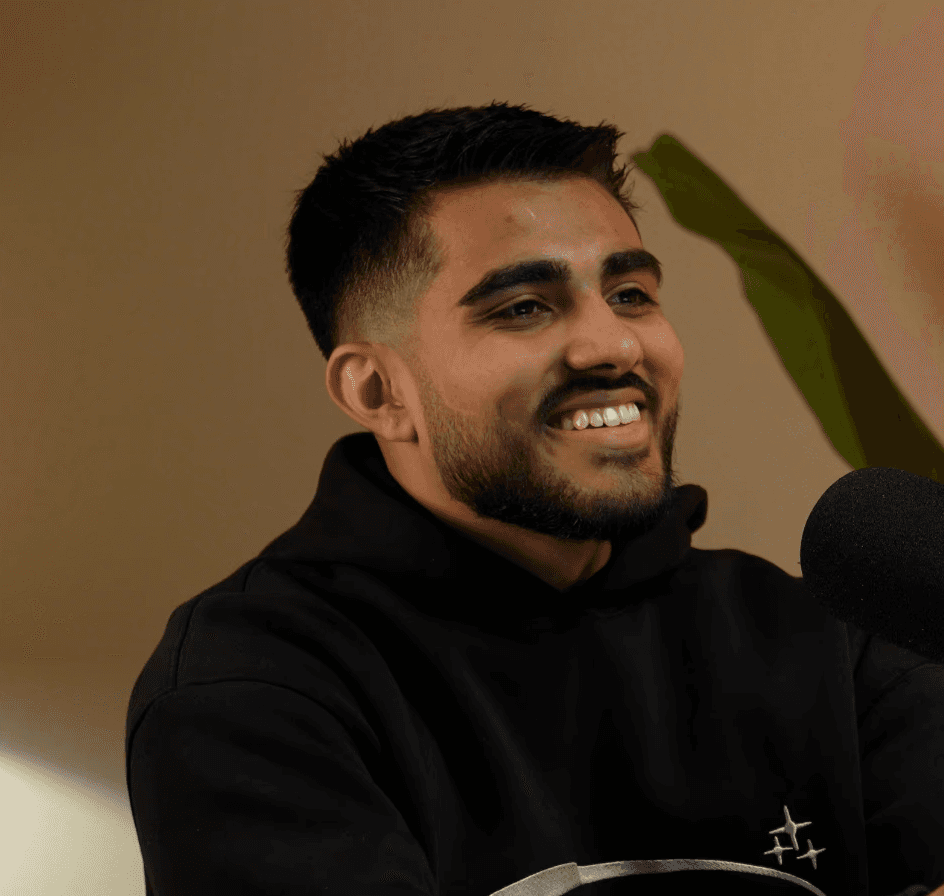
Aqil Jannaty is the founder of ThePod.fm, where he helps B2B companies turn podcasts into predictable growth systems. With experience in outbound, GTM, and content strategy, he’s worked with teams from Nestlé, B2B SaaS, consulting firms, and infoproduct businesses to scale relationship-driven sales.
